CareerCross uses cookies to enhance your experience on our websites. If you continue to view our sites without changing your browser settings, then it is assumed that we have your consent to collect and utilise your cookies. If you do not want to give us your consent, then please change the cookie settings on your browser. Please refer to our privacy statement for more information.
CareerCross uses cookies to enhance your experience on our websites. If you continue to view our sites without changing your browser settings, then it is assumed that we have your consent to collect and utilise your cookies. If you do not want to give us your consent, then please change the cookie settings on your browser. Please refer to our privacy statement for more information.

About Agreeing to the Terms of Use and Privacy Statement
- Q. I cannot agree to the Terms of Use and Privacy Statement because the same page keeps opening repeatedly when I click the links.
- Q. I cannot close the tab or return to the previous page after opening the Terms of Use or Privacy Statement on my smartphone.
- Q. Nothing happens when I click the "Agree" button.
Q. I cannot agree to the Terms of Use and Privacy Statement because the same page keeps opening repeatedly when I click the links.
A. This issue may occur if your registered password does not meet our current password requirements.
Please follow the steps below to update your password, then try agreeing to the Terms of Use and Privacy Statement again.
- Go to the link below and log out of your account.
- Once logged out, go to the link below and enter your username (email address).
- Click the link in the email you receive.
- Set a new password.
- Log in to your account using your new password via the link below
- Accept the revised Terms of Use and Privacy Statement.
Q. I cannot close the tab or return to the previous page after opening the Terms of Use or Privacy Statement on my smartphone.
A. The Terms of Use and Privacy Statement open in a new tab.
You can close the tab by following the steps below.
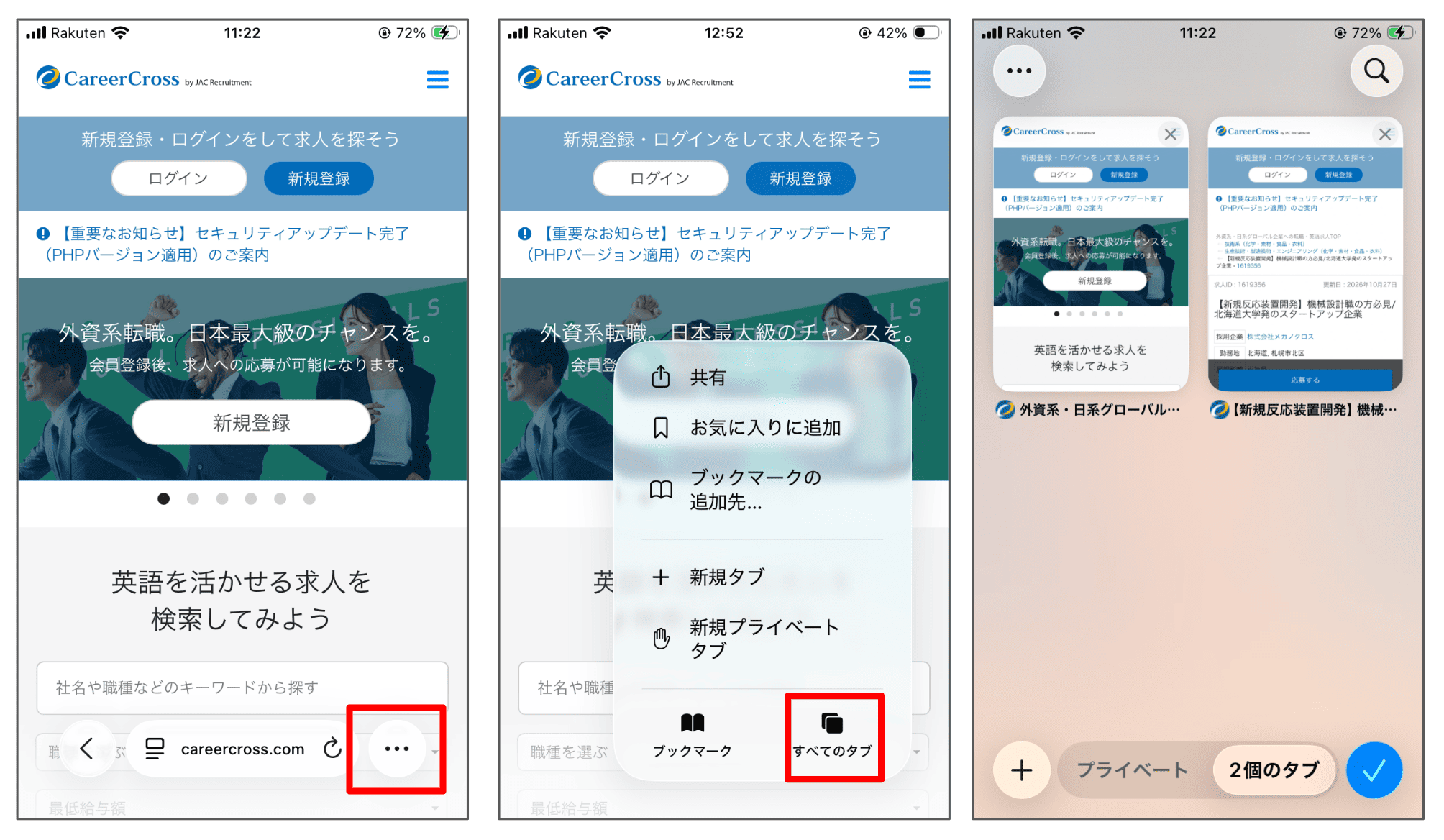
For iPhone (e.g., Safari):
- Tap the "…" (More) button in the bottom-right corner.
- Tap "All Tabs."
- Close any unnecessary tabs.
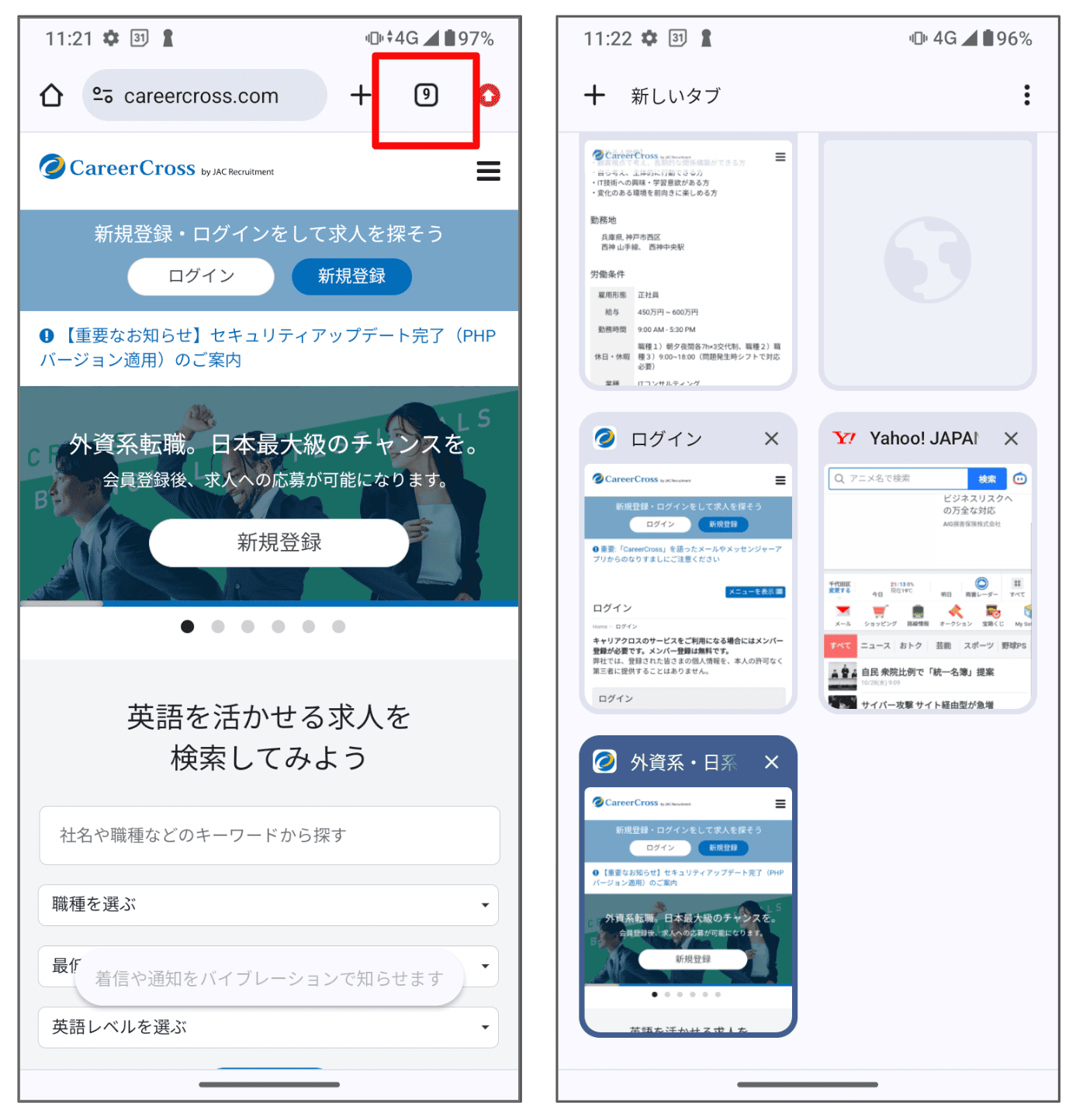
For Android (e.g., Chrome):
- Tap the number icon in the top-right corner.
- Close any unnecessary tabs.
A. Before you can click the "Agree" button, you need to review both the Terms of Use and Privacy Statement.
Please follow the steps below:
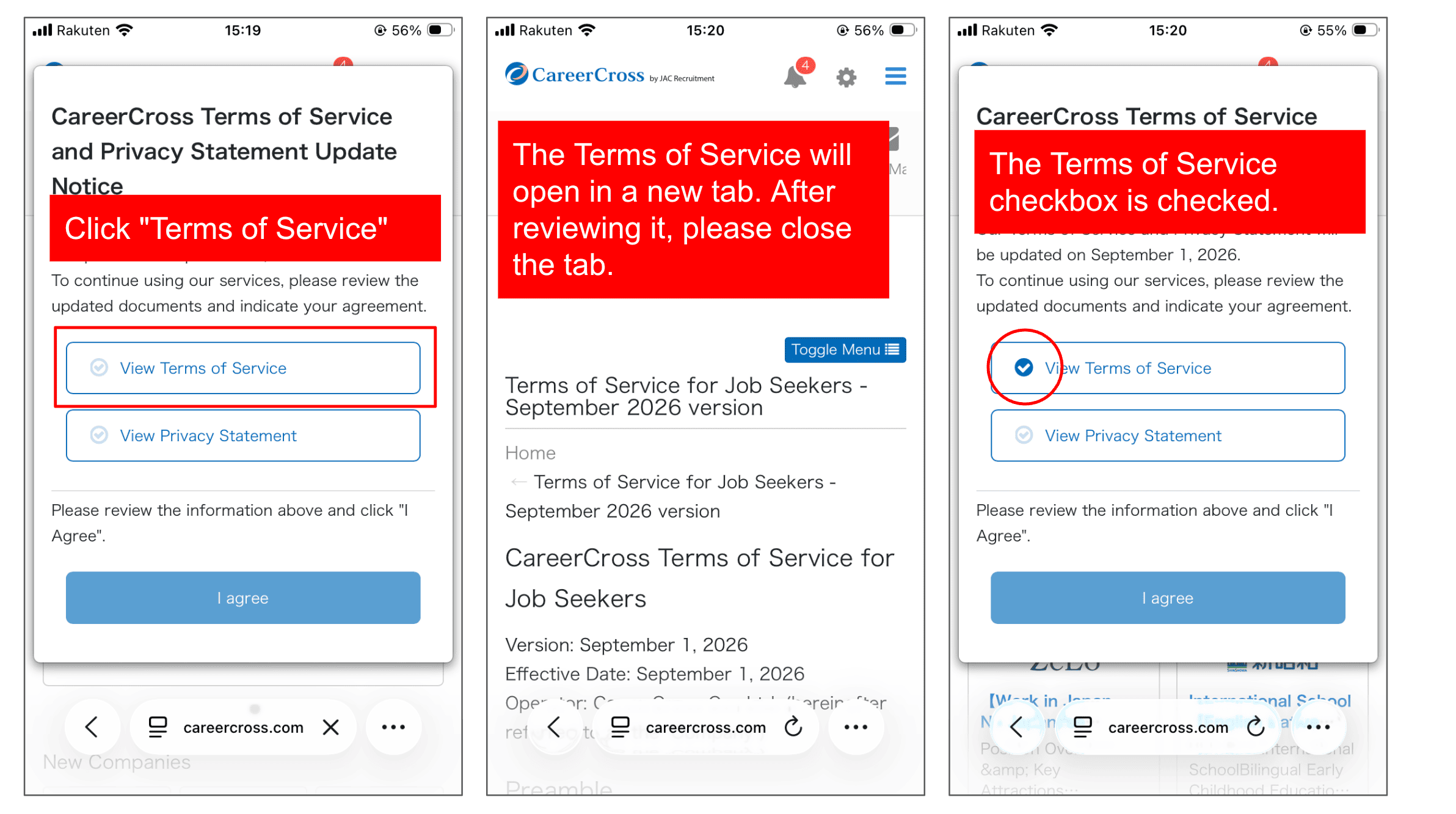
- Click the "Review Terms of Use" button and review the content that opens in a new tab.
- After reviewing, close the tab and return to the original page.
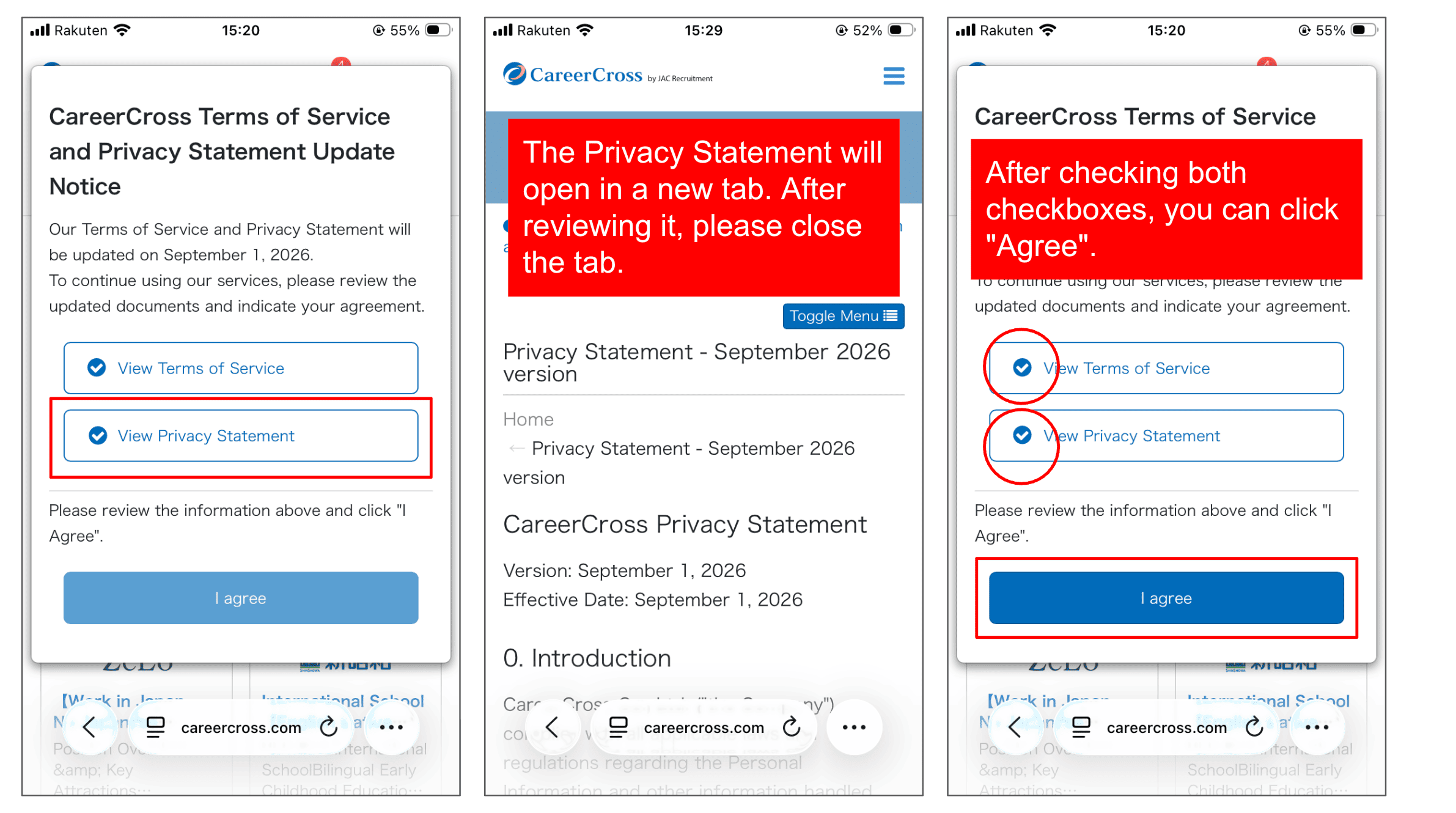
- Click the "Review Privacy Statement" button and review the content that opens in a new tab.
- After reviewing, close the tab and return to the original page.
- Once both documents have been opened, checkmarks will appear next to both items, and the "Agree" button will turn dark blue.
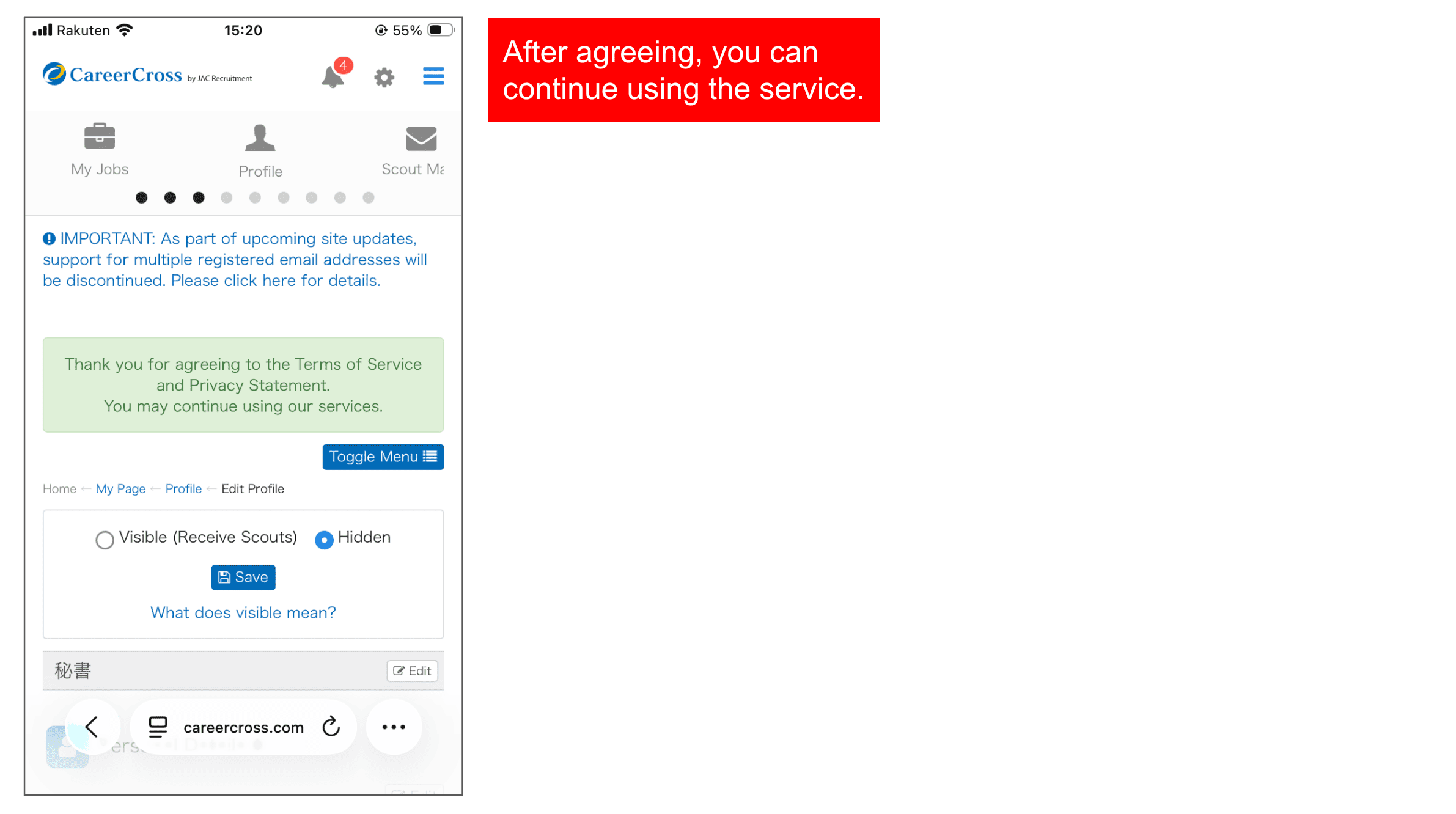
- Click the "Agree" button to complete the process.
For detailed instructions, please refer to the images below.
If you have any questions, please feel free to contact our Customer Support team.
Customer Support
Phone: 03-5217-3900
Email: info@careercross.com
